Max Basmanovs
How a Minor Crawler Bug Saved a Client's SEO Budget
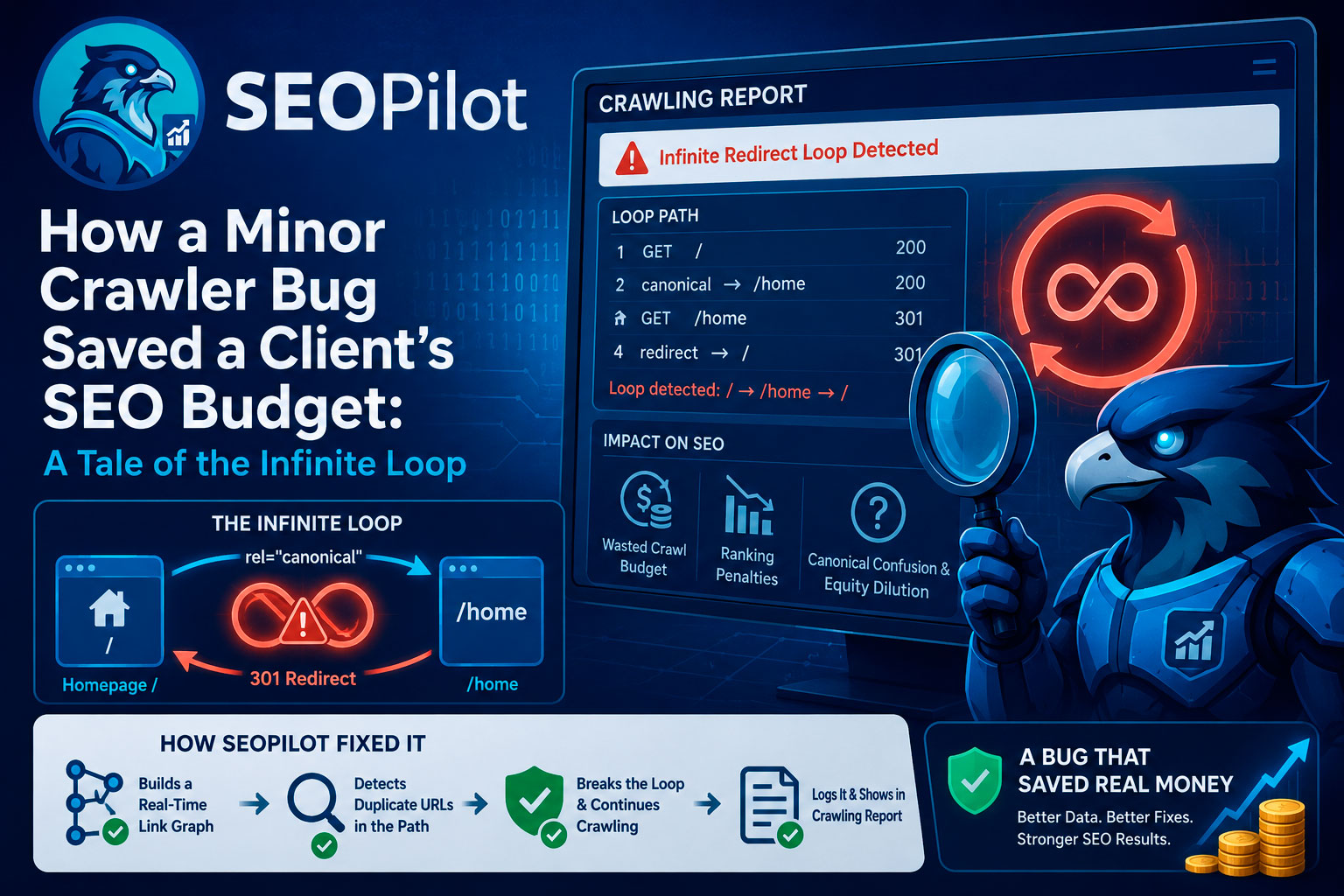
Every dev knows that cold sweat when a support ticket drops: "Your latest update broke everything." Last week, a client pinged our team at SEOPilot. They were frustrated because our web crawler was just hanging there, looping forever and failing to finish a routine scan.
Here is where things got weird. Nobody else was complaining. For everyone else, the update worked flawlessly. So we had to dig into the logs to see what was going on under the hood.
What We Actually Changed
In our latest release, we wanted SEOPilot to better mimic how actual search engines behave. So, we added deep-chain logic for 301 redirects and canonical tags (rel="canonical").
Before this, the crawler just noted these tags and moved on. With the update, if it hit an internal URL that redirected somewhere else—or had a canonical tag pointing to another page—it would follow that trail to the very end to find the actual "true" destination. It's a great feature on paper because it cleans up junk URLs and gives you pure, accurate SEO data.
Except, on this specific site, our bot stumbled into a complete architectural black hole.
Anatomy of an Infinite Loop
Looking at the logs, we found a classic web dev nightmare—a literal Uroboros loop:
- Our crawler lands on the homepage root (/).
- It then sees a
rel="canonical"tag shouting: "Hey, the real page is at /home!" - The bot obediently goes to "/home".
- The client's server immediately hits it with a 301 Permanent Redirect, shouting: "Nope, go back to /!"
[Homepage /] ── (canonical) ──> [/home]
    ▲                              │
    └──────(301 Redirect)──────────┘
Our crawler was just trying to do its job, pacing back and forth in circles until it hit its safety limits. The client thought our software was broken. In reality, our update just held up a mirror to a massive configuration error on their own backend.
Why This Devastates Search Rankings
For a regular person browsing the site on Chrome or Safari, everything looked fine. Modern browsers are pretty forgiving—they smooth over these hiccups or only throw an error if you click a very specific path.
But for search spiders like Googlebot, BingBot, or DuckDuckBot? This loop is a brick wall. They will slam into it repeatedly until they give up. Here is how this actively kills a business's Google rankings:
- It incinerates your Crawl Budget. Search engines don't spend unlimited time on your site. They give you a budget. When GoogleBot gets stuck bouncing between "/" and "/home", it burns that entire budget on a useless loop. It leaves before ever seeing your new product pages or blogs. Your content basically becomes invisible.
- The algorithmic hammer. Algorithms love a clean user experience. An infinite loop tells Google and Bing that your site is abandoned or broken. They hate sending users to broken links, so your rankings plummet.
- Google just gets confused (and punishes you for it). Your homepage holds most of your backlink authority. When a canonical tag says one thing and a 301 redirect says the exact opposite, Google gets confused. Link juice gets diluted, keyword relevance drops, and sometimes, Google just yanks both pages from the index entirely until you fix it.
What was fixed
We realized our crawler shouldn't freeze when it hits a client's messy architecture — it should expose it.
We tweaked our engine to map out a dynamic link graph in real time during a crawl. Now, the bot tracks its exact path history. The second it sees a URL repeating in the same chain, it kills the loop, flags the error, and keeps scanning the rest of the site. The issue gets sent straight to a Crawl Report on the user's dashboard.
What we learned from this
If we hadn't shipped that "broken" update, this client could have gone months wondering why their organic traffic was cratering and why their Google Ads spend wasn't converting.
A scary support ticket forced us to make our product smarter, and in turn, saved our client's search presence and thousands of dollars in wasted budget.